News · Product · November 12, 2026
Pass: passwords and secrets, sealed in your own vault
Ghostdrive Pass keeps logins, two-factor codes, cards, notes and API secrets sealed on your device, and shares one item with a Ghost ID that you choose.
DRIVE 369 DAO · 4 min read
Your passwords are the keys to everything else: your mail, your money, your work. Pass is the newest Ghostdrive product, and it keeps them where the rest of your memory lives: sealed in your own vault, under a key only you hold.
What it keeps
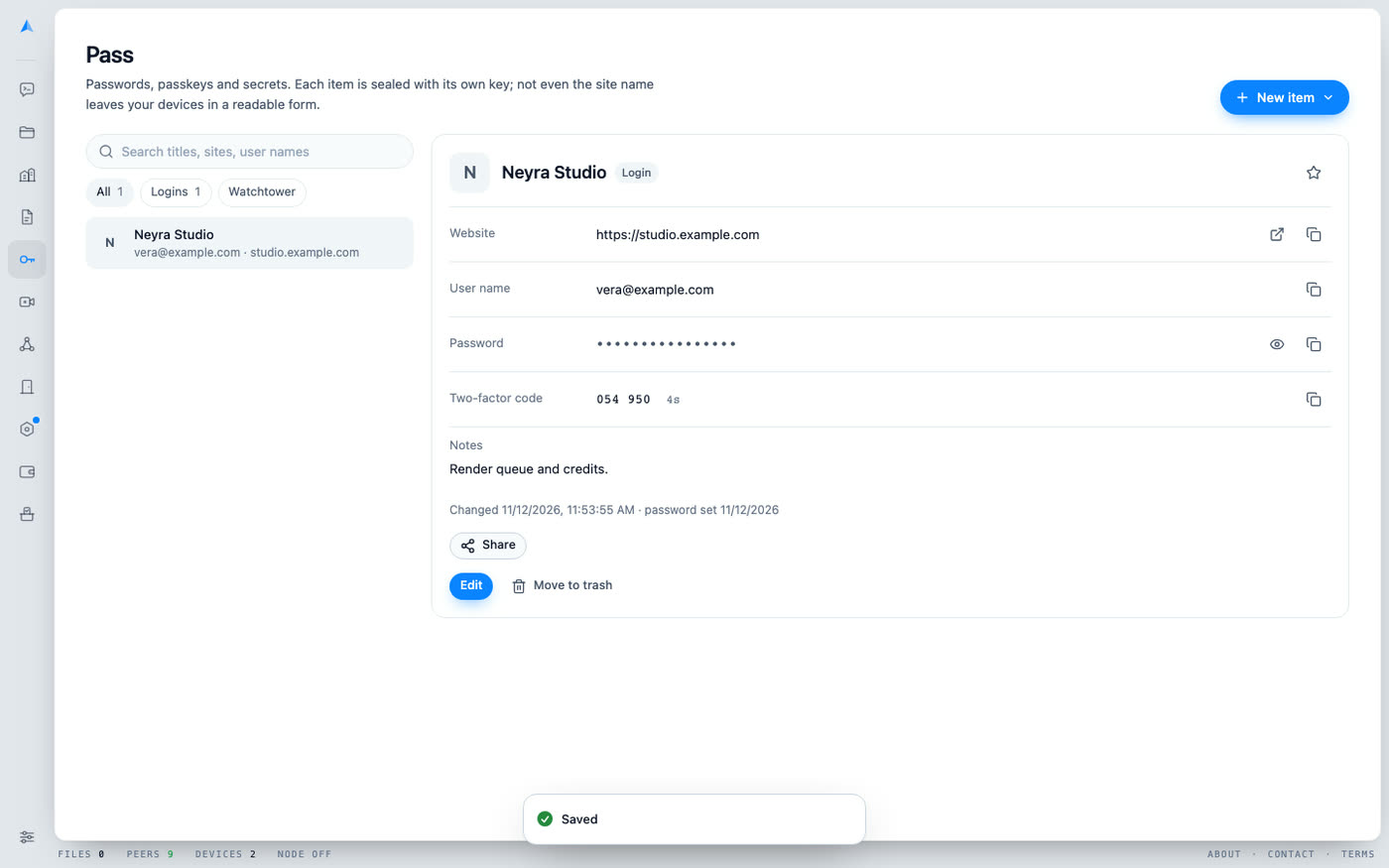
Pass is a page in the app, next to Notes. It holds five kinds of item: logins, secure notes, cards, API secrets and SSH keys. You can search by title, site or user name, mark favourites, and move an item to the trash, where it stays until you delete it for good.
How it is sealed
- One key per item. Each item is encrypted with AES-256-GCM under its own random key, and that key is sealed by your vault. A fresh key is made every time you save.
- Everything is inside the box. The title, the website and the times are encrypted too, not only the password. Not even the site name leaves your devices in a readable form. The 2022 LastPass breach showed what happens when website addresses are left readable.
- A swap does not work. An item's ciphertext is bound to its identity, so a malicious relay cannot move one item's data into another's place.
- Open only while your vault is open. When you lock it, the keys are dropped. Pass syncs between your devices like your other documents, sealed in transit and at rest.
- Secrets stay hidden until asked. Passwords show as dots. When you copy one, it is cleared from the clipboard after 30 seconds.
What it does for you
Generate. One click makes a 20-character password with every character set and no look-alike letters, with a strength line under it.
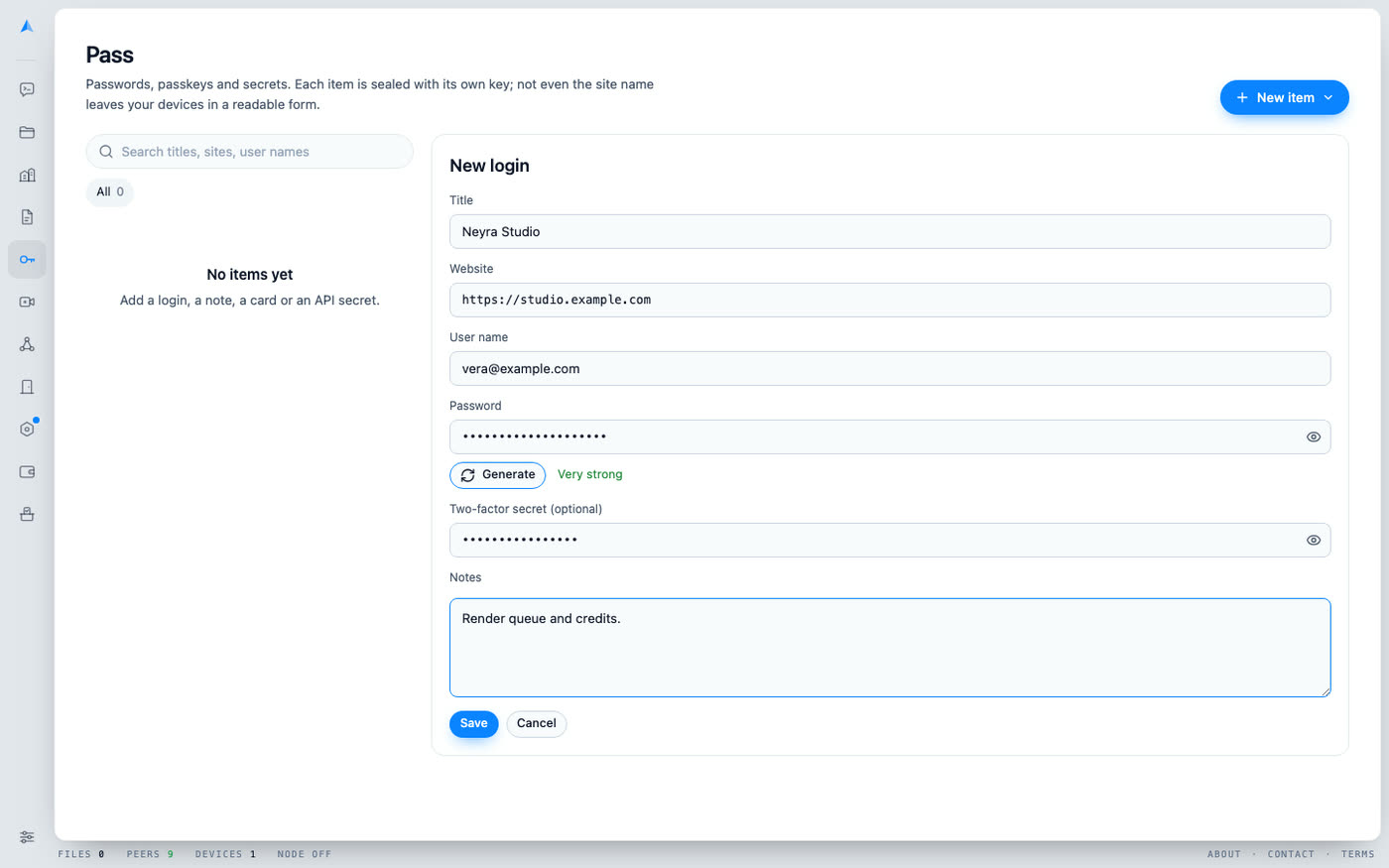
Two-factor codes. Paste the two-factor key when you save a login, and Pass shows the current six-digit code with the seconds left, and copies it like any secret.
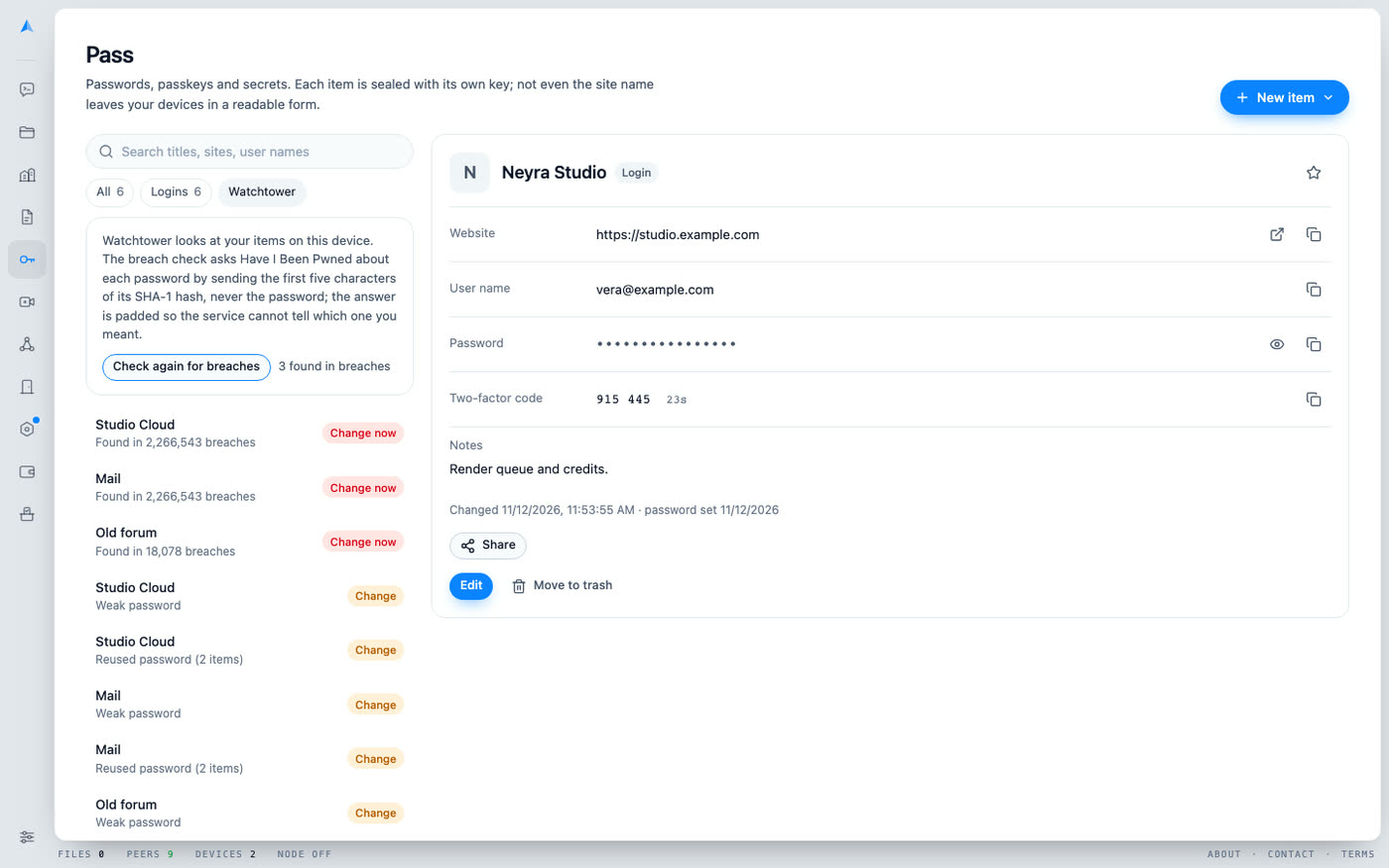
Watchtower. Pass checks your items on your device for weak passwords, reused passwords, passwords unchanged for a year and sites without https. A breach check asks Have I Been Pwned about each password by sending only the first five characters of its SHA-1 hash, never the password, and the answer is padded so the service cannot tell which one you meant.
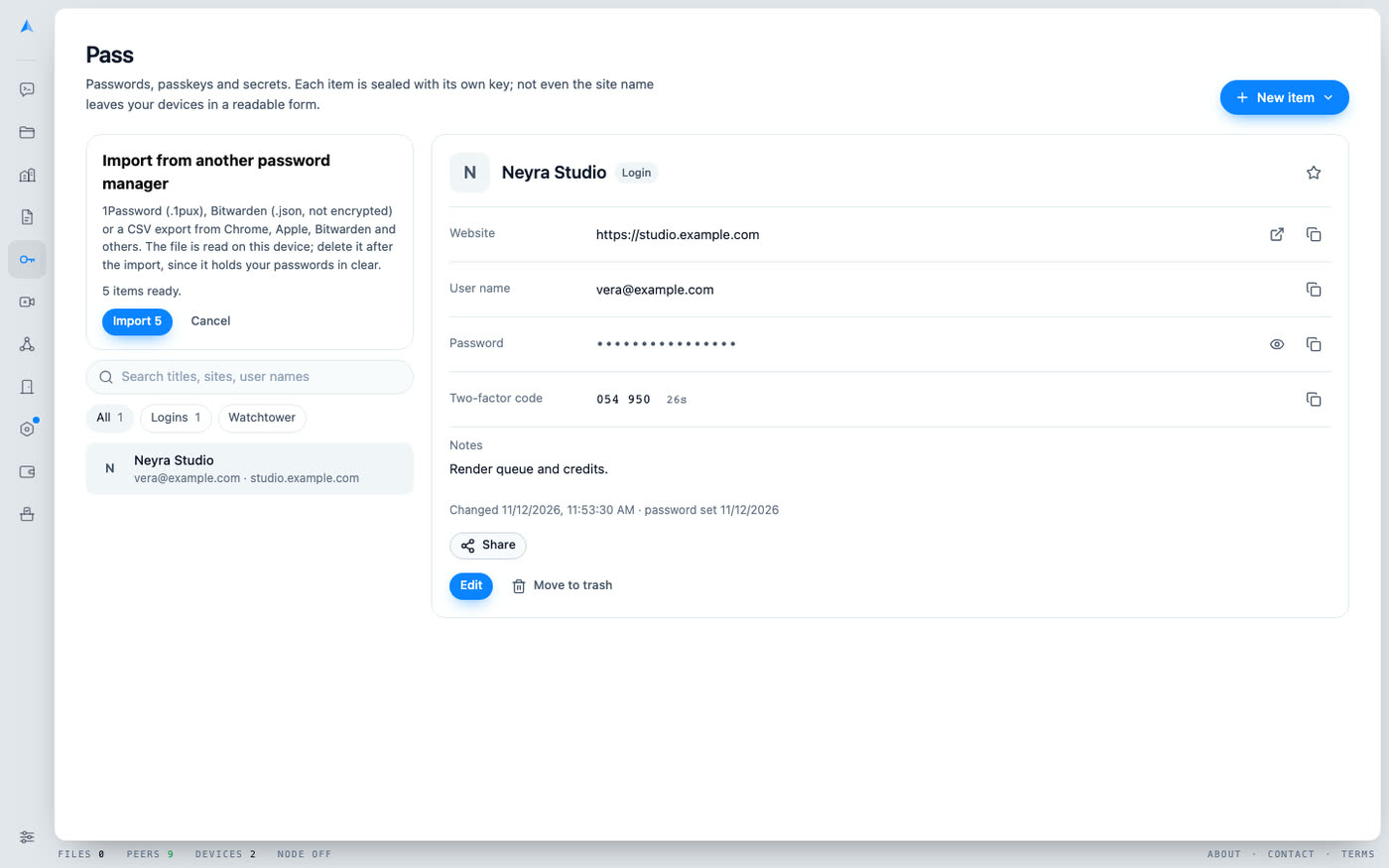
Import. Bring your passwords from 1Password (.1pux), Bitwarden (.json, not encrypted) or a CSV export from Chrome, Apple, Bitwarden and others. The file is read on your device. Delete it after the import, since it holds your passwords in clear.
Share one item, not your vault
You can send one item to another Ghost ID, in a sealed message, with an expiry of one day, seven days, thirty days or never.
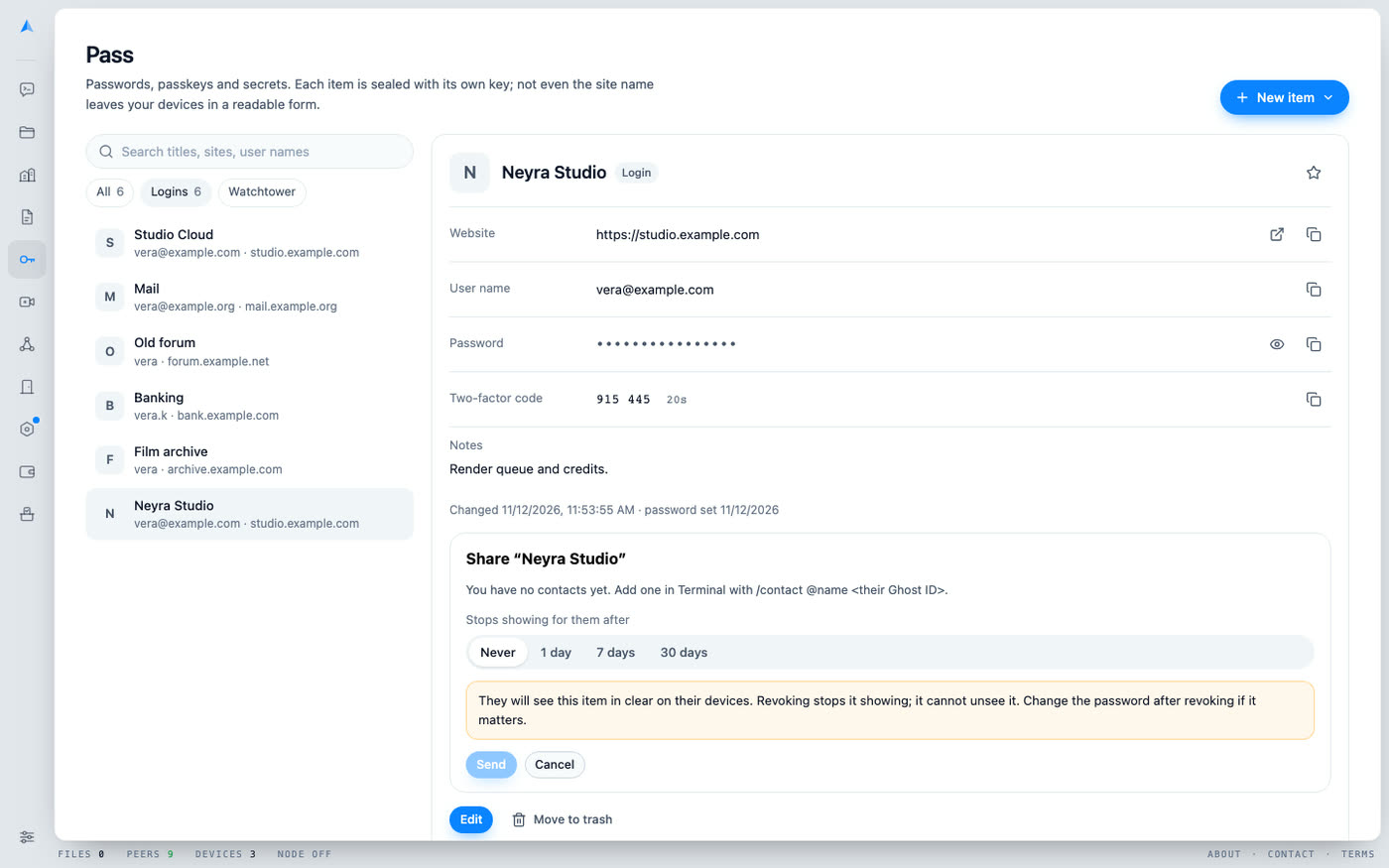
- The person you send it to is asked first. The item waits sealed in their Pass inbox, with your full Ghost ID and a warning if you are not a contact, until they choose Save or Decline.
- A revoke counts only if it comes from the Ghost ID that shared the item. A shared item that has expired is hidden and removed.
- The honest limit: whoever saves it has the item in clear on their devices. Revoking or expiring stops an honest app from showing it. It cannot make anyone unsee a password, so change the password after revoking if it matters.
Use case: a person
You move from the passwords in your browser. You export a CSV, import it in Pass, and Watchtower tells you which five accounts reuse one password. You share the family streaming login with your sister for thirty days, and it stops showing for her after that.
Use case: a company
A founder needs to give a freelancer one API secret for a week. She shares that single item with an expiry of seven days. The freelancer sees only that item, never the founder's vault. When the job is done she revokes it and rotates the key.
How it differs
Cloud password managers keep your encrypted vault on their servers, under their account system. In Pass there is no such company: the items live in your own vault, sealed on your device, and move between your devices over the same private network as the rest of Ghostdrive. The same key that opens your Drive opens your Pass.
Status and limits
Pass is live in the app. It does not fill in sign-in forms on other sites or apps yet, so for now you copy what you need. If you lose both your passkey and your 24 recovery words, no one can recover your vault, and that includes Pass. Passkeys cannot be shared, because their private key never leaves your vault.
Open Pass · Drive · Settings · All products
Questions
- What is Ghostdrive Pass?
- A page in the app that keeps logins, secure notes, cards, API secrets and SSH keys, each sealed with its own key inside your vault.
- Does Pass fill in sign-in forms?
- Not yet. For now you copy what you need, and the clipboard is cleared after 30 seconds.
- Can I import from another password manager?
- Yes: 1Password (.1pux), Bitwarden (.json, not encrypted) and CSV exports from Chrome, Apple, Bitwarden and others. The file is read on your device.