News · Product · November 20, 2026
Ghost Memory: keep your AI chats, encrypted on device
A free Chrome extension that saves your ChatGPT, Claude and Gemini chats into one archive encrypted on your device. Search them all, export Markdown.
DRIVE 369 DAO · 4 min read
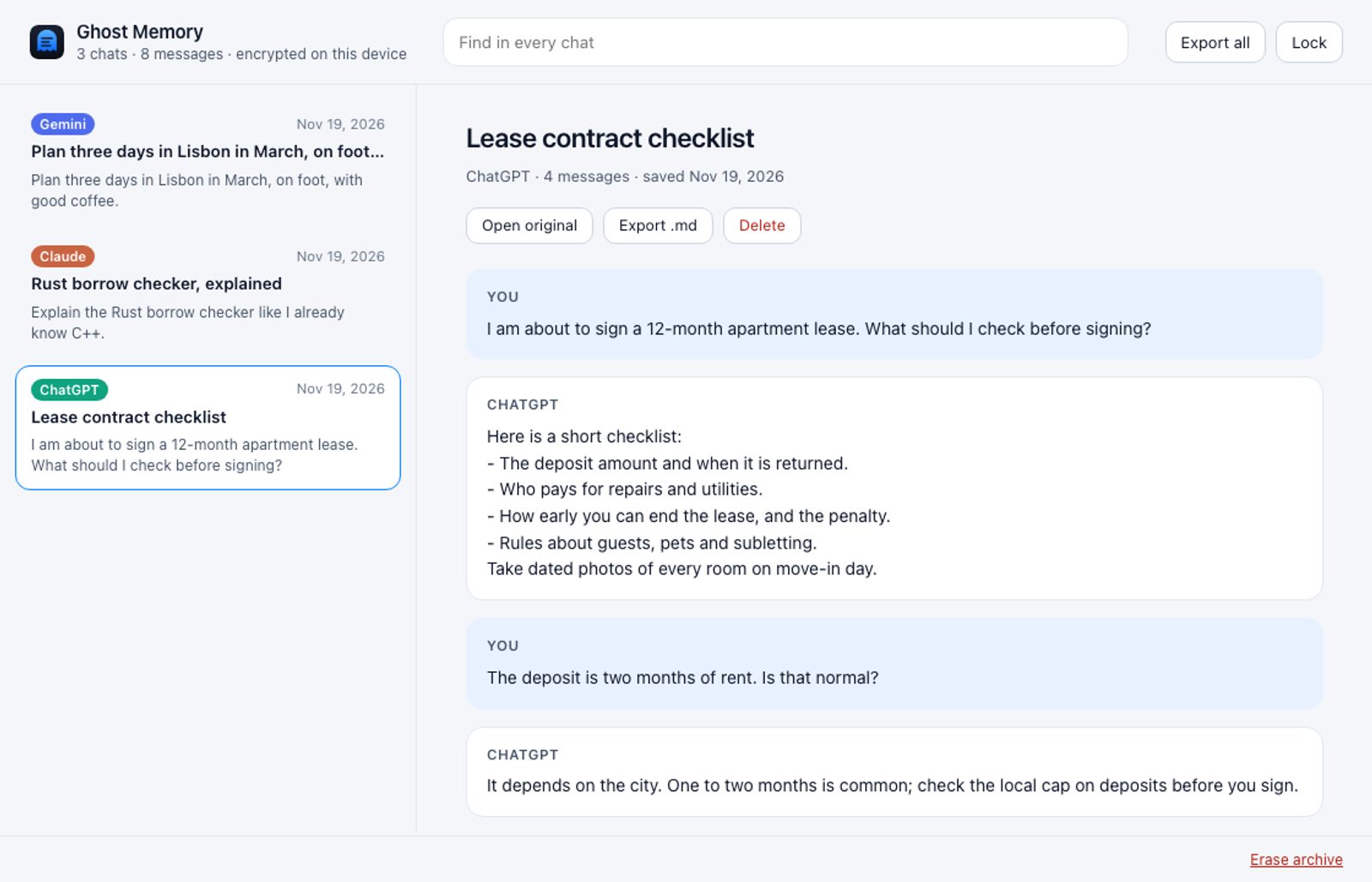
Ghostdrive has a second Chrome extension. Ghost Memory saves the conversations you choose from ChatGPT, Claude and Gemini into one archive that is encrypted on your device. You can search every saved chat at once and export them as Markdown. It needs no account, and your chats never leave your browser.
It is in review at the Chrome Web Store now. The install link will be on ghostdrive.com/Memory when Google approves it.
Why we built it
The best thinking people do with AI is scattered across three services, each with its own history. You cannot search them together, and exporting a single chat is awkward.
Extensions that promise to fix this have a bad record. In December 2025, Koi Security found that Urban VPN Proxy and related extensions, installed by more than 8 million people, captured conversations from AI platforms including ChatGPT, Claude and Gemini. The capture was on by default, with no switch to turn it off (The Register, 16 Dec 2025).
Two weeks later, OX Security reported two extensions with over 900,000 downloads between them that sent ChatGPT and DeepSeek conversations and every open tab's address to a remote server every 30 minutes. One of them carried Google's "Featured" badge (OX Security, 30 Dec 2025).
So the question is not only "where do I keep my AI chats?" It is "who else gets them when I do?"
How it works
- Make your archive once, with a passphrase only you know.
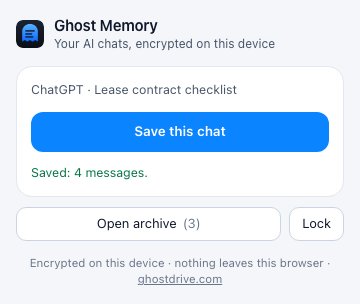
- Open a chat and press Save in the toolbar. Ghost Memory copies the messages on the page. Save the same chat later and it is updated, not duplicated.
- Open the archive to read, to search every chat at once, or to export one chat or all of them as Markdown.
What it does not do
- It does not send your chats anywhere. The extension has no permission to reach any website by itself, and its pages are not allowed to make network requests. Our build refuses a version whose settings would allow either.
- It does not read your pages. It reads a page only when you press Save, and only the tab you are on.
- It does not keep the key on disk. What it saves is encrypted with AES-256-GCM. The key is protected by your passphrase (PBKDF2-SHA256, 600,000 rounds), and while unlocked it sits in the browser's memory. The archive locks after 30 minutes without use, when you press Lock, and when the browser quits.
For a person and for a team
A person keeps the chats where they worked something out: a contract reviewed with Claude, a trip planned with Gemini, a bug fixed with ChatGPT. A month later, one search finds the answer, whichever assistant gave it.
A team that uses AI for real work gets a copy of the conversations behind a decision, outside the AI vendor's history, without adding another cloud that can read them. Exported Markdown goes wherever the team keeps its notes.
Limits
- No recovery. A forgotten passphrase cannot be recovered by anyone, including us. Export to Markdown if you want a copy you can always open.
- Only what is on the page. Version 0.1 saves the text that is on the page. For a very long chat, scroll to its top first; saving never shrinks a copy you already have.
- Text only, three assistants. Images and attached files are not saved yet. A new or temporary chat can be saved once it has its own address.
- Pages change. If an AI site changes its page, saving from it can stop working until we update the extension. It tells you when it could not read a page and never saves an empty chat.
Ghost Memory comes from the team behind Ghostdrive Send & Guard, our first extension, which sends a secret as a link that opens once. Next, we want your archive to be able to move into your Ghostdrive and become memory your own AI can use, still encrypted on your side. The details, including the full privacy policy, are on ghostdrive.com/Memory.
Questions
- What does Ghost Memory do?
- It saves the AI conversations you choose, from ChatGPT, Claude or Gemini, into one archive in your browser. You can search every saved chat at once, read them, and export one chat or all of them as Markdown.
- Can Ghostdrive read my saved chats?
- No. The archive is encrypted on your device with a key protected by your passphrase, and it never leaves your browser. The extension has no permission to reach any website by itself, and its pages are not allowed to make network requests.
- What if I forget my passphrase?
- The archive cannot be opened, by you or by anyone else, including us. Export your chats to Markdown if you want a copy you can always read.